

Euclid to e-books: ideal books moving ideas
September 18 - December 8, 2006
David Filderman Gallery, 9th floor, Axinn Library
Euclid to e-books: ideal books moving ideas is curated by Bronwyn Hannon, the Curator of Acquisitions for Special Collections, Axinn Library at Hofstra University.
This original exhibition looks at the book as a sum greater than its parts: typography, printing, illustrations and materials, transcending the particular to form an ideal composite of beauty and permanence. It will also look at books with ideas that characterize changes in 500 years of scientific, social and technical progress, from the invention of printing to the digital age, focusing on the printed image and typography. The exhibition culminates with a prototype of the new Sony® E-Book.
Euclid to e-books: ideal books moving ideas takes us on a journey that traces the evolution of the book in its various forms. It is fascinating to contemplate this journey from Gutenberg's great experiment of "adventure and art," to the current e-book and to imagine what the next evolution in a book's form may be. Through original examples by artists such as Pablo Picasso, Fernand Leger, and Marcel Duchamp, Bronwyn Hannon presents a compelling story of the many forms, uses, and definitions of "book." It is also useful to see the parallels of the impact of moveable type in the first centuries after its invention, with the ways in which the Internet has been changing the purpose and form of information conveyance today.
Many of the exhibition items are from either the Special Collections or The Howard L. and Muriel Weingrow Collection of Avant-Garde Art and Literature at Hofstra University. A number of generous organizations and individuals also lent books to the exhibition.
Euclid to e-books: ideal books moving ideas
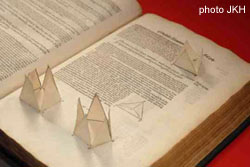
Reasoning about Euclid.
Euclid. Elements of Geometrie. (1570)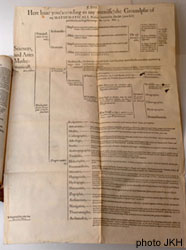
Ordering of the Elizabethan sciences
Euclid. Elements of Geometrie. (1570)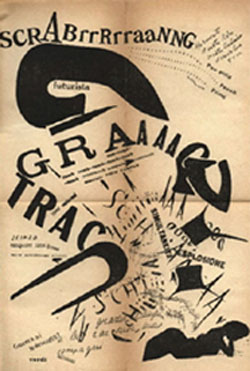
Typography blown apart.
Filippo Marinetti. Les Mots en Liberte Futuristes. (1919)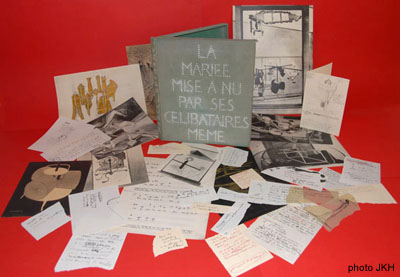
Book box of ideas
Marcel Duchamp. La Mariee Mise a Nu Par Ses Celibataires, Meme. (1934)